Top 8 Features to Consider When Buying a Dive Computer
|
|
Time to read 3 min


|
|
Time to read 3 min
Choosing the right dive computer—whether it's your first or a major upgrade—can be daunting given the many options available. To make a smart, informed decision and select a model that perfectly matches your diving style, you need to understand the critical features that distinguish various models. This guide will explore the top 8 most important features to consider, helping you elevate your underwater experiences.
When selecting a dive computer, the first critical choice is between a wrist-mounted and a console style.
Console Computers: These are highly durable, rugged, and connected to the regulator's first stage via a high-pressure hose, making them hard to lose. They display tank pressure (digital or analog) and usually include a compass (digital or analog). Options with a quick disconnect are available for easier storage and data download.
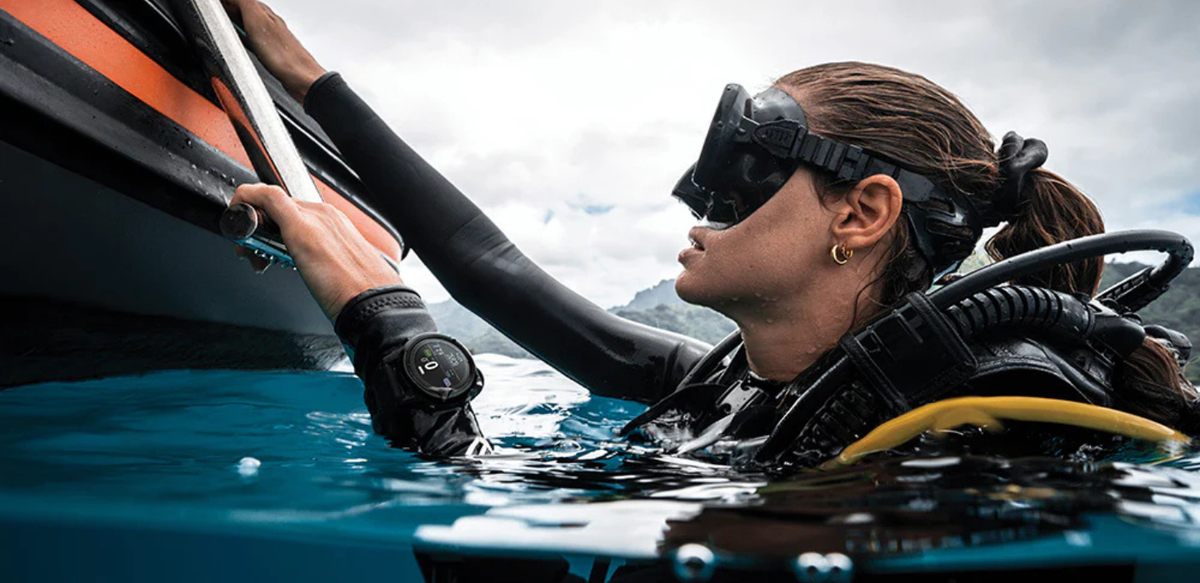
Wrist-Mounted Computers: Preferred by most divers, these are smaller and sleeker, allowing for a more streamlined gear setup by eliminating the console hose. They offer a wider range of advanced features. Styles range from those with larger displays to watch-style models suitable for everyday wear.
Your choice of computer should align with your diving experience and needs. Consider the modes offered when comparing models.
Beginner/Recreational Divers: Typically need basic modes (Air, Gauge, simple Nitrox).
Advanced Divers: Should look for computers supporting 3-Gas Nitrox.
Technical Divers: Require advanced modes such as Open Circuit tech (for multi-gas and Trimix use) and potentially Closed Circuit Rebreather (CCR) capacity.
Other Modes: Consider models with Freediving/Apnea mode or other sport modes for multi-functionality. Look to brands like Garmin for computers with technical diving modes, smart features, health tracking and many sport modes.
A dive computer's primary function is to keep you safe and within limits. Ensure the computer provides all necessary safety alarms (e.g., fast ascent, deep stop, safety stop, excessive depth).
Pay attention to how the computer alerts you. Options include visual displays, audible beeps, and vibration—or a combination of these. Select a method that reliably catches your attention.
For a truly optimized setup, consider air integration capabilities. More advanced, higher-priced wrist computers offer the option to display tank pressure directly on the screen using a transmitter installed on the first stage. This eliminates the need for a separate pressure gauge and hose, further simplifying your gear. Less expensive models typically require an additional analog pressure gauge.
An integrated digital compass is brighter and easier to use than analog models. Models with both air integration and a digital compass eliminates the need for a console entirely. Check out our favorites below!
Battery Replaceable: Traditional models often have replaceable batteries that typically last longer. Replacement may require a dive retailer's expertise, while some are easily user changeable. Just make sure to ensure proper sealing against water intrusion. If traveling to remote areas without reliable charging access, a replaceable battery option might be the way to go, or at least as a backup!
Rechargeable: Popular with travelers and frequent divers, as they are easily charged after each dive and eliminate the need to pack spare o-rings and batteries.
Display quality affects readability, especially in murky conditions:
Non-Color Displays: Include Segment (most basic) and Dot Matrix (slightly better lettering). If choosing this type, ensure it has adequate backlighting for low-visibility dives.
Color LCD/LED Displays: Generally brighter, easier to read, and often feature light sensors to adjust brightness. They can display alerts in bright colors (e.g., red) to quickly catch attention. While they use more battery, they are frequently rechargeable, mitigating this issue.
The ability to download and log your dives is a modern convenience:
Download Functionality: Most modern computers support Bluetooth data download, allowing you to transfer dive profiles to an app immediately after a dive. Others use a cable to download to a computer software, which is less convenient but still effective.
Logging Apps: Many new computers integrate with dedicated apps (like the Shearwater app) that use the dive data to create comprehensive logs, enabling you to add details like buddies, sightings, and notes.
Selecting the right dive computer is crucial, requiring consideration of key features to match your diving style. Decide between a wrist-mounted or console unit, and ensure it supports necessary diving modes and provides reliable safety and alerts. Look for Air Integration and an integrated Digital Compass for streamlining. Other factors include Rechargeable vs. Replaceable batteries, display technology, and Bluetooth data management. Evaluating these features ensures an informed choice that enhances safety and the underwater experience.
Beginner/Recreational: A simple, large-display model like the Cressi Leonardo or Goa, offering single Nitrox mix, depth tracking, and basic safety alarms. Divers looking for a more basic computer with air integration may opt for the Oceanic Geo Air.
Advanced Recreational: Computers with more features, such as a compass and optional transmitter pairing, like the Shearwater Peregrine TX.
Console Preference: Divers who prefer a console can opt for models like the Oceanic Pro Plus 4 with its large display, or the Sherwood Beacon featuring a colored screen and digital compass.
Technical Divers: Require sophisticated technical features found in models such as the Shearwater Perdix 2 and Suunto Nautic.


